
Keeping a charging lead within reach at a shared desk
A USB-C plug slides behind the desk every time a visitor takes their laptop away. A small organizer can give that cord a parking spot without taking over the whole desktop.
What will fit in a six-slot holder?
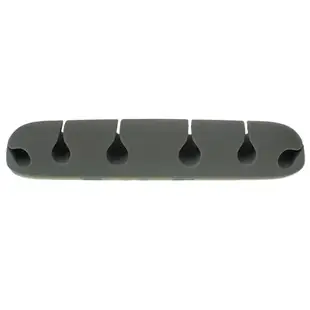
The gray silicone organizer in this section has an adhesive backing and six slots. Lay out the cords you actually reach for during a workday. Compare their outside diameters to the slot specification, particularly for thick braided leads or chargers with a stiff molded neck.
Where should it go on a sit-stand desk?
Try the position with a loose mock-up before applying the adhesive. Raise and lower the desk and lift the laptop away. Leave enough free cord for those movements and choose a surface approved for the adhesive. Heavy power bricks need their own support.
What if several people use the same charger?
Test the length available to a left-handed and a right-handed user with the organizer in the proposed spot. Put the most frequently borrowed lead in an outer slot and check that it can be removed independently. This can prevent staff from pulling the whole holder off the desk.
Set up a shared desk for the next user
A desktop organizer is most effective when the next user can pull out one plug without releasing its neighbors. Place the laptop, mouse and headset where people actually use them, then lay a loose charging lead at the front edge. The six-slot silicone 30CM-10002 uses adhesive backing. Try the position temporarily and confirm the cable jackets fit the slots before attaching it. Lift the laptop and swivel the monitor to check slack. Keep thick connectors outside the slots and leave a separate path for anything that must travel with the laptop at the end of the day.
Can one holder serve a hot desk and a permanent workstation?
At a permanent workstation, a user may leave the keyboard, charger and headset attached for weeks. Choose slots based on the cords that actually need parking each evening. At a hot desk, several visitors may bring their own laptop and charger during a day. Reserve a slot for the site’s cable and leave personal cords easy to remove. Test whether users can pick up the intended connector without pulling neighboring ends off the desk. Check the length that remains between the holder and each device after the cable is parked. Adhesive placement is easier to change before the backing is applied. Mark the preferred position on a removable note during the trial, then check the desk owner’s surface instructions before fixing the holder in place.
