
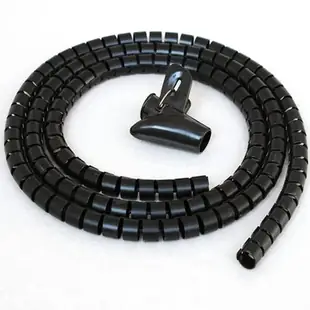
Split loom for cords that already have bulky plugs
A standing desk may already have a monitor cable, power lead and USB cable connected at both ends. A longitudinal split makes it possible to gather selected cords without threading each molded plug down a continuous sleeve.
How do I choose between 15 and 30 millimeters?
Lay the cords together as they naturally bend and measure the resulting bundle. Compare that measurement with the wrap’s stated diameter and check where cables will branch. A larger wrap costs space at a tight turn and may let a small bundle move more inside it.
Will a five-foot wrap cover my workstation?
Measure the shared portion only. Leave the independent branches free to reach monitors and chargers. If you need more than one length, place the transition where you can reach it for future changes and verify whether the listing includes a wrapping tool.
What changes at a cable branch?
Identify where each device lead must leave the common route. Choose a wrap length that allows those branches to emerge naturally and gives the remaining bundle room to flex. If devices move independently, test both extremes of movement before judging whether the shared section should be shortened.
Protect a harness that already has both ends attached
A workstation fitted with a fixed monitor and a dock can be difficult to dismantle simply to add a sleeve. Split loom opens along its length so the existing leads can enter from the side. For 30SL-02115, compare the stated 15 mm diameter to the bundle at its fullest point, with any new lead included. Decide where the mouse and charging cords branch out before selecting the final length. After fitting, operate the monitor arm and check that the loom does not bunch up at a hinge. Expose enough of each end to disconnect devices independently.
Can I replace one cable without rebuilding the whole desk?
Choose the point where the wrap starts based on equipment movement. If it begins too close to a plug, moving a single monitor may pull on the rest of the loom. Try replacing the lead that is most likely to change while the other devices remain in place. Note how much of the wrap has to open and whether the cables return to a natural position when it closes. A desk with two fixed screens and a shared dock may need a short wrapped section close to the stand, with separate free branches near the dock and the moving laptop. Record the chosen diameter, each cut length and the branch positions so identical desks can be assembled consistently even if their equipment is connected in a different order.
Compare parts for your setup
5ft Split Loom Cable Wrap, Black, 15mm / 0.60in diameter, Cable Management Wraps
30SL-02115
- Dimensions in listing
- 5ft · 15mm · 0.60in
5ft Split Loom Cable Wrap, White, 30mm / 1.18in diameter, Cable Management Wraps with Tool
30SL-09130
- Dimensions in listing
- 5ft · 30mm · 1.18in
5ft Split Loom Cable Wrap, Black, 20mm / 0.79in diameter, Cable Management Wraps with Tool
30SL-02120
- Dimensions in listing
- 5ft · 20mm · 0.79in

