
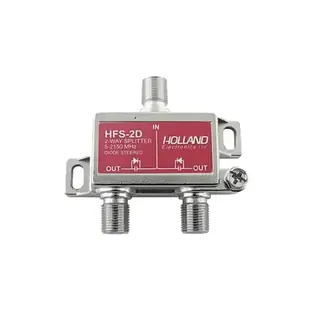
How many outputs should my coax splitter have?
Two televisions sharing an antenna feed need one input and two outputs. A cabinet with four cables leaving it does not necessarily need a four-way splitter. Trace which rooms are used and identify the source before buying more outputs than the installation needs.
Match the service as well as the frequency
The listed F splitters carry frequency specifications. Compare the range and signal loss with your antenna, satellite or broadband equipment. Where the system supplies power over coax, consult its equipment guide about DC pass-through. A satellite receiver or cable modem may have specific distribution requirements beyond the shape of the connector.
Check the original feed before adding branches
Make a baseline check with one television or authorized receiver connected directly. Add the needed branch and compare the same channel at both endpoints. Mark each room cable at the splitter. If the problem follows one branch, you can investigate that route without repeatedly reconfiguring the others.
Should I put a second splitter in an existing branch?
Draw the first splitter and mark the outlet that would feed the second. Each split changes the signal budget downstream. Compare the proposed path with the original distribution design. For a provider-managed service, ask about the correct layout if the modem or receiver becomes unreliable after a branch is added.
Give two rooms a feed from one appropriate antenna line
Start with one working television and note which channels it receives. Determine whether the antenna system uses a power inserter or an amplifier and where DC is supposed to pass. The 30X3-10002 is a two-output splitter described as DC-passing on all outputs. Compare that behavior and its frequency range with the source equipment's requirements before attaching a second branch. Once installed according to the equipment instructions, test each room separately and then with both connected. Splitting changes the available signal. Buying a four-way version “for later” may be a poor fit when only two branches are needed today. Keep unused branch decisions consistent with the system manufacturer's instructions.
Will this device need to send a signal back upstream?
An antenna setup used only to receive broadcasts and a provider-managed modem may both end in F connectors. They can place different demands on the distribution equipment. Before adding a splitter to a modem line, ask the provider what frequency range, return path and installation arrangement it accepts. Photograph the writing on the existing splitter, including its input, outputs and any markings beside individual branches. A frequency figure printed prominently on a replacement leaves other requirements unresolved. If the provider diagnoses loss on a shared feed, let it identify the appropriate distribution change. For a planned private system, ask the designer to specify the part and show which device belongs on each output of the finished layout.
Compare parts for your setup
2 Ghz Coaxial Cable Splitter, High Frequency Satellite/Broadband Splitter, 1 x F-Pin female input & 2 x F-Pin female output, DC passing on all output ports.
30X3-10002
- Connector references
- F-Pin female
2 Ghz Coaxial Cable Splitter, High Frequency Satellite/Broadband Splitter, 1 x F-Pin female input & 3 x F-Pin female output, DC passing on all output ports.
30X3-10003
- Connector references
- F-Pin female
2 Ghz Coaxial Cable Splitter, High Frequency Satellite/Broadband Splitter, 1 x F-Pin female input & 4 x F-Pin female output, DC passing on all output ports.
30X3-10004
- Connector references
- F-Pin female


