
Choose a surge protector that fits the equipment on your desk
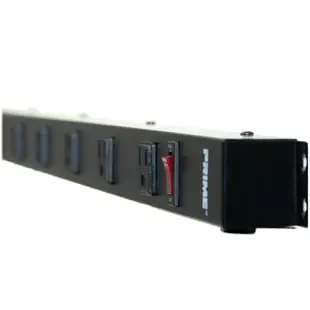
Count the devices, then lay their plugs and power bricks side by side. Six sockets in a tight row may leave fewer usable positions than expected when adapters are wide. Compare outlet orientation, spacing and cord exit against the actual desk or cabinet.
What protection is specified?
Look for explicit surge-protection features, applicable listings and published ratings on the exact model. A travel outlet adapter, USB charging station and surge protector can look similar in a photo. Check the combined load rating and the USB output if charging devices is part of the plan.
What if you need time to save your work?
A surge protector alone supplies no battery runtime during an outage. If the job is keeping a computer and monitor on long enough to save a file, compare a UPS using the load and required minutes. Some UPS outlets provide surge protection only, so check the outlet labels as well.
What must stay accessible after mounting?
A protector placed underneath a counter can be almost invisible once the furniture goes back into position. Check whether the model permits the planned mounting orientation, and leave its status indicators, controls and cord accessible according to the instructions. If the device has an indicator for protection status, find out from its manual what each state means and what the manufacturer recommends when it changes. Before ordering several for a reception area, test the fit with your widest adapters. Also check that staff can identify which plug supplies the computer without disturbing the payment terminal beside it.
When bulky chargers cover the outlets beside them
Place the actual adapters in a row on a table and measure their width in the orientation the power strip uses. Six outlet positions can leave fewer usable spaces once large power bricks are installed. The 51W1-19206 lists six outlets, a flat rotating plug and a six-foot cord. Confirm that the layout suits the wall receptacle and furniture, then compare the documented surge and electrical ratings with the equipment you intend to plug in. If the main concern is saving work during a blackout, investigate a UPS with suitable battery-backed outlets and runtime.
Will network equipment and bulky adapters fit on the same strip?
A small office network shelf often holds a modem, router, switch and several differently shaped power adapters. Draw the adapter bodies at roughly their actual width and mark where each cord exits. Then try that arrangement against the spacing and orientation of the candidate protector. Check whether any adapter would cover the switch, status light, mounting point or neighboring outlet. If you expect to replace a router next year, consider leaving one usable position with clearance for a different adapter body. This exercise gives a truer count of usable outlets on that shelf than counting the molded receptacles in a photograph.
Compare parts for your setup
12 Outlet, 4 foot power strip. 15A. with 6ft Power Cord. 14 AWG, black
51W2-32106
- Configuration
- 12 Outlet
- Current rating
- 15A
- Wire gauge
- 14 AWG
- Dimensions in listing
- 4 foot · 6ft
Surge Protector, Flat Plug, 8 Outlet Plus 2x USB A and 1x USB C, 2450J, ETL Listed, Plastic, White, Power Cord 3 foot
51W1-49103
- Connector references
- USB A · USB C
- Configuration
- 8 Outlet
- Dimensions in listing
- 3 foot


