
How long should a UPS keep your equipment running?
Decide what needs to survive a brief outage. A router may need to stay on through an entire call, while a desktop might only need enough time to save an open document and shut down. Those jobs can lead to different battery sizes.
Start with watts and minutes
List the devices on the battery-backed outlets and estimate their combined load. Compare the UPS watt and VA limits, then consult its runtime curve at your load. The 400, 600 and 2000 VA labels in the assortment describe capacity classes. They do not provide minutes of runtime on their own.
Think through the complete connection
A backed-up WiFi router can still lose internet if your modem or fiber terminal loses local power. Check which pieces you control and what outlets each uses. For computer shutdown, look up the UPS communication port and software compatibility before counting on automatic shutdown.
Is the device shutting down or just losing its connection?
A laptop with its own charged battery may stay on during a local outage and still lose a video meeting because the modem, router or office switch turned off. Write down the equipment on the path to the internet and identify which devices actually stopped during the last outage. Include the relevant network devices in the runtime estimate if your goal is staying connected. Also distinguish local backup from a provider outage. A UPS can keep your own equipment powered for its documented runtime, while a loss of service elsewhere requires a different continuity plan.
Which equipment needs to stay on long enough to save work?
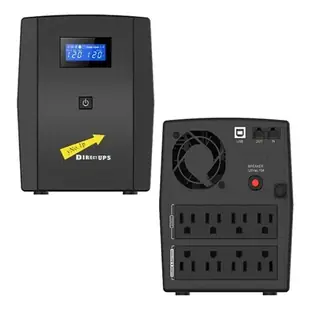
List the computer, display and any network equipment you actually need during shutdown. A second monitor or unrelated speaker may consume battery time without helping you save the session. The 91W1-32000 is listed as a 2000 VA UPS. Check its separate watt rating and the manufacturer's runtime curve at your expected load. The VA figure alone cannot tell you how many minutes the equipment will run. Identify which outlets provide battery backup and follow the manufacturer's documented test procedure. Record the tested load and shutdown plan beside the UPS for the people who use the desk.
Will the backup still suit the office after a computer upgrade?
An office often keeps its existing UPS when a faster desktop, larger monitor or additional network equipment arrives. Repeat the load estimate with the new equipment before relying on the old runtime expectation. Check the UPS maker’s guidance for battery condition, replacement schedule and runtime at that new load. If a controlled shutdown is part of the plan, verify that the operating system and UPS communication software support the upgraded machine. Record the equipment list used for the estimate and the date of evaluation. Someone troubleshooting a short runtime later can then see whether a larger load or an aging battery may have changed the result.


