
Finish a desk outlet that carries the right service
Look at what plugs in above the desk, then ask what cable already reaches the back of the plate. A phone handset, analog telephone line and Ethernet patch cord can each suggest a modular-looking outlet while needing a different insert.
Choose the insert and the backing
A blank plate covers an opening. A fixed phone plate supplies its specified jack, while a keystone plate accepts compatible inserts. For each opening, check front connector, rear termination, supported cable type and space in the wall box. Some inserts accept a finished plug behind the plate and others accept individual conductors.
Plan the desk move
Label each outlet with its destination and leave room for the plug outside the furniture. If the computer is moving to another room, confirm where that individual cable ends before buying a different faceplate to solve a disconnected link.
Decide what will go on the plate label
In a small office, two adjacent wall jacks may look alike while one leads to a telephone line and the other to a network switch. Ask the installer for the destination of each run and a simple outlet identifier. Record the one at the desk and the matching label at the patch panel. This also helps with future purchases. If the equipment changes from a desk phone to an Ethernet device, you can check the cable and termination at both ends before deciding whether you need a new keystone, work at the panel or an entirely different run.
Reusing the wall opening at a workstation
Take the cover off according to the installation instructions for that low-voltage data outlet and identify what is behind it. A blank cover, a keystone insert and a punch-down termination solve different parts of the job. The 310-120WH is a Cat5e jack with a 110 termination. The 33X6-530 is a shielded Cat6a toolless jack. Match the insert to the installed cable, plate opening and available depth. If you intend to keep the original plate, try a single insert beside its neighboring jack before ordering a batch. Tight spacing behind the plate can be as important as its front opening.
Plan for a desk with several bulky patch cords
An outlet can accept each connector individually and still be awkward once every position is filled. For a two- or four-port plate behind a reception counter, compare the width of the cable boots, the orientation of the latches and the clearance to the desktop edge. Try adjacent plugs together on a sample plate if the finished opening will be hard to access. Check that someone can release one cable without pulling the others loose. Also identify any jack reserved for future use and choose an appropriate blank for the opening. These small layout decisions matter more when staff rearrange the desk frequently.
Compare parts for your setup
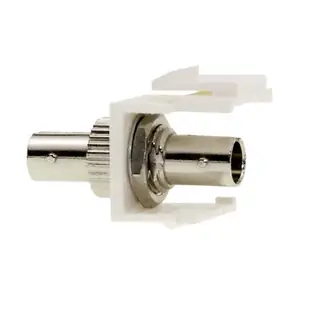
ST/ST Simplex Keystone Adapter with Metal Housing, Fiber Optic Coupler, White
30ST-ST400
- Connector references
- ST
- Configuration
- Simplex
- Material
- Metal Housing
Cat6 Keystone Jack, Black, RJ45 Female to 110 Punch Down, PoE++ Type 4 100W
326-121BK
- Connector references
- RJ45 Female
- Ethernet category
- Cat6
- Power rating
- 100W
Keystone Insert, Beige/Ivory, Blank
321-120IV
- Configuration
- Blank
Cover a spare position now and leave room for a future connection.
Check whether the opening needs a whole plate or a single insert, then match the mounting format.


