
Is the problem the HDMI plug, its angle or the video signal?
A TV mounted close to the wall may need a small elbow to clear the bracket. A laptop feeding the same TV from USB-C needs an adapter that can carry video from the computer. Those jobs look similar at the TV end but require different electronics.
Check the direction of an HDMI elbow
Look at the wide edge of the HDMI socket and note which side of the screen the cable should exit. A vertical elbow labeled up or down can turn the wrong way on a port mounted upside down. Count adjacent inputs, too. A connector that fits one port may block the next one.
Does my USB-C port output video?
Identify the laptop port’s display capability and the adapter’s source and display ends. For a USB-C laptop feeding an HDMI screen, verify the supported resolution at your required refresh rate. If the source itself is HDMI, look specifically for a product supporting that direction and the display’s actual input.
Can I keep my existing wall-mounted cable?
If the installed cable already handles the signal you want, changing just the device-side connector can be convenient. Record which plug emerges from the wall and which empty socket needs to receive it. Compare assembled depth with the TV swung back into its normal viewing position.
Pick the elbow that clears the wall and the next input
A right-angle HDMI fitting can look perfect in the product photograph yet point straight into the neighboring connector on your television. Take a picture looking directly at the TV port, mark which way the cable must leave, and compare the plug orientation with the adapter drawing. Part 30HH-50260 is a horizontal left elbow with male and female HDMI Type-A ends. Add the depth of the existing cable plug to the adapter dimensions instead of measuring the elbow alone. With the television in its normal position, check access to the adjacent inputs and verify the picture mode used by the connected console or player. Repeat the clearance check with the TV mounted at its intended tilt angle.
Will the projector need a separate audio connection?
A classroom computer with HDMI can send sound and picture together. A projector taking VGA handles the picture through its VGA input. If the room also needs sound, inspect the available audio input and where it goes. An HDMI-to-VGA adapter in this category explicitly lists stereo audio support and USB power. Confirm its audio socket, the lead to the amplifier and where the adapter receives power. An older projector's tiny speaker may technically reproduce the clip yet be difficult to hear from the back row. When comparing adapters, draw the audio destination and video destination on separate lines. That makes it easier to choose a part that supports the whole classroom presentation. Read the projector’s audio output label, too, if the speakers are across the room.
Compare parts for your setup
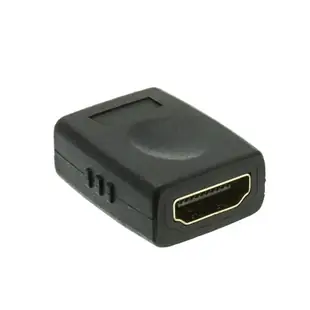
HDMI High Speed Coupler / Gender Changer, HDMI Type-A Female to HDMI Type-A Female, 4K 60Hz, Black
30HH-00400
- Connector references
- HDMI
- Video format
- 4K
HDMI Extender 50 meters over Cat5e/6 with loop out and IR, Supports up to 4K60
41V3-28300
- Connector references
- HDMI
- Ethernet category
- Cat5e
- Dimensions in listing
- 50 meters
HDMI male to VGA female Adapter with Stereo Audio Support, Up to 1080P 1920 x 1080, Powered by USB Port
40H1-31410
- Connector references
- HDMI male · VGA female
- Video format
- 1080P · 1920 x 1080


