
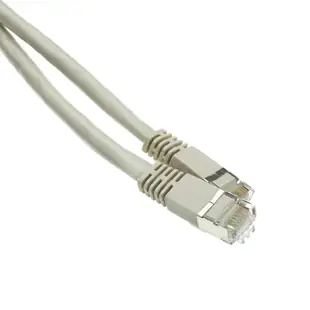
Connecting a 10GBASE-T workstation with Cat6A patch leads
A faster workstation adapter needs a matching switch port and a capable end-to-end copper path. A Cat6A patch lead can complete that path, but the category printed on a single cord cannot establish the negotiated speed.
Which length and shield should I choose?
Measure both equipment-side sections and note the length of the installed building run. Select UTP or shielded construction to match the designed link. Compare molded boot clearance at the network card and switch. A thicker cable may need more space behind a desk or cabinet door.
How can I check an upgrade afterwards?
Read the link rate at the workstation and switch, then run the transfer or application that matters to the user. A storage bottleneck or remote service limit can mask an otherwise healthy faster Ethernet connection.
Should I replace both ends of a channel at once?
When diagnosing one workstation, label the original patch leads and keep track of what changes at each step. A known-good short lead and a recorded link result at each endpoint help distinguish an equipment-side issue from a fault on the fixed run before a larger order is placed.
A 10-gigabit workstation has more than one link
When a workstation is upgraded, trace the route through its network adapter, patch lead, wall jack, permanent cable, panel and switch. The Cat6a label on one patch cord does not establish the negotiated speed of both endpoints. The one-foot 13X6-02101 is a molded-boot example for a short local connection. Choose the actual length based on the installed path. After replacement, record the link speed shown by the workstation and switch and compare it with a known working port. That helps separate a cable selection problem from an equipment setting or a slower switch interface.
Diagnose a fast local link separately from the internet connection
A workstation can have an excellent wired link to its switch and still download slowly from a distant server. Before buying a new Cat6a patch cord to fix a speed complaint, record the link speed reported by the adapter. Compare a local transfer to a known capable device with the result of the internet test. Consider file size, storage performance and whether the workstation is actually using WiFi. Then substitute a known working patch cord and repeat under the same conditions. A change in negotiated link rate points to a different issue from a change only in internet download speed. If replacing the lead is appropriate, specify its ends, length, construction and routing needs. Save the measurements with the ticket so the next person can tell which part of the path was improved.
Compare parts for your setup
Shielded Cat6a Gray Copper Ethernet Patch Cable, 10 Gigabit, Snagless/Molded Boot, POE Compliant, 500 MHz, 100 foot
13X6-521HD
- Ethernet category
- Cat6a
- Data rate
- 10 Gigabit
- Length
- 100 ft
Measure the route along the room edge or cable tray, including turns, before using this 100 ft cord to reach a distant Ethernet port.
Match the shielded cord to the grounding and shielding design of the installed channel and check both port speeds.
Shielded S/FTP Cat6A Ethernet Patch Cable, Snagless/Molded Boot, 26AWG, Black, 1 foot
15X6-52201
- Ethernet category
- Cat6A
- Wire gauge
- 26AWG
- Length
- 1 ft
Use the 1 ft lead between nearby switch and patch-panel ports; measure the path through the cable organizer first.
Armored Cat6a Copper Ethernet Cable, Anti-Rodent, 10 Gigabit, 24AWG, POE Compliant, 500MHz, POE Compliant, 100 foot
13X6-601HD
- Ethernet category
- Cat6a
- Data rate
- 10 Gigabit
- Wire gauge
- 24AWG
- Length
- 100 ft


