
Which USB Ethernet adapter fits my laptop?
A laptop without a network jack can connect to a wired outlet through a supported USB Ethernet adapter. Start with the computer’s available USB port, its operating system and the wired speed you need.
Why do some adapters stop at 100 Mbps?
One listing explicitly says USB 2.0 to 10/100 Fast Ethernet. Other entries offer Gigabit Ethernet with USB-C or USB 3.0. Compare both sides of the adapter. An RJ45 jack and a faster internet subscription cannot make a 10/100 adapter negotiate Gigabit.
What can I check before a meeting?
Confirm driver support on the exact operating system, especially on a managed work computer. Test at the intended outlet and check the negotiated link rate in network settings. A wired connection still relies on the switch port and a working patch lead.
Will it work through a dock or hub?
Document the full connection from laptop to adapter and from adapter to switch. A dock, hub or shared USB connection can introduce another compatibility or performance dependency. Test directly on the computer when possible, then compare its result with the intended dock arrangement before rolling it out to other workstations.
Will the adapter become the slowest part of the desk?
A laptop with no built-in network socket can use a compatible USB Ethernet adapter. Check the USB connector, operating system support and the actual Ethernet rate. The 30U2-31000 is specifically listed as 10/100 Fast Ethernet. It can be a useful match for older equipment but will cap a desk intended for gigabit service below that target. If you also use a dock, distinguish the dock’s network interface from the separate USB adapter in system settings. Test one path at a time and keep the adapter model in the troubleshooting notes.
Do you need a USB network adapter or a faster dock?
Compare how the computer is normally used. A laptop that only needs a reliable wired connection may be well served by a separate adapter. The 30U3-30010 is listed with a USB-C host connection and gigabit Ethernet. For a desk that also needs monitors and extra USB ports, a dock may consolidate those jobs, but its Ethernet specification still needs checking. Connect the adapter directly to a supported host port during the first test and record the operating system’s negotiated speed. Confirm that the network cable and switch support the intended rate. If the USB-C port is normally occupied by charging or video, plan how that function will be retained. An adapter can meet the network requirement perfectly and still leave the laptop with nowhere to connect the charger during a long workday.
Compare parts for your setup
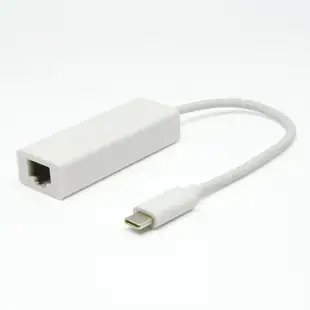
USB-C 3.1 to Gigabit (10/100/1000Mbps) Ethernet Adapter, white
30U3-30010
- Connector references
- USB-C
- Data rate
- 1000Mbps
USB 3.0 to RJ45 10/100/1000 Gigabit Ethernet Adapter
30U3-31000
- Connector references
- RJ45
- Data rate
- 1000 Gigabit


