
Choosing a switch when the office runs out of ports
Count printers, phones, access points, computers and the cable back to the router or core switch. That uplink consumes a port too unless the model provides a dedicated alternative. Include foreseeable additions before choosing a switch size.
Does a sixteen-port switch mean sixteen Gigabit ports?
Compare the listed port speeds. This section includes sixteen-port Fast Ethernet and Gigabit choices. A 10/100 unit can connect compatible devices but limits each negotiated port speed accordingly. Check the uplink capability when several devices need to reach the same server.
What should I ask for beyond port count?
Identify whether devices need PoE, how much power they require and whether the network administrator needs management features such as VLAN support. Confirm those features on the exact model. An unmanaged desktop expansion is a different purchase from a managed or powered access switch.
Which devices actually need a faster uplink?
Make a short list of simultaneous activities, such as a backup to local storage, file transfers from workstations and real-time calls. Identify where those destinations sit on the network. Extra access ports solve a connection-count problem, while an undersized shared uplink calls for its own capacity review.
Count the uplink before promising eight desks
An eight-port desktop switch can connect fewer than eight local devices once a port is assigned to the upstream network. List the computers, printer, phone, access point and uplink. Mark which need power over Ethernet and what rate each port should support. Part 71X5-01208 is listed as an unmanaged 10/100 switch with a magnetic base. The mounting feature may suit a small cabinet, but compare the port rate and management requirements to the job. Allow space for adapters and cables to leave the switch without blocking ventilation or access to its power connection.
One larger switch or a second switch at the far desk?
A second desktop switch can connect several devices near one wall outlet, but those devices share its uplink. If they all upload large files to the same server, the uplink can affect their combined throughput. A larger central switch with separate home runs gives the network administrator different visibility and cabling costs. Sketch both layouts and mark the expected simultaneous traffic rather than adding port speeds as if every device had a dedicated path to the server. Check which locations have suitable power, space and administrator-approved equipment access. For a small shop using a printer and two registers, the local choice may be entirely practical. For managed office networks, confirm requirements for device isolation, monitoring and approved switch models before adding an unmanaged box beneath a desk.
Compare parts for your setup
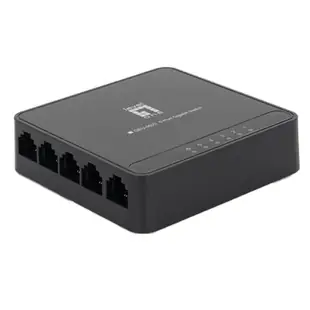
5 Port 10/100/1000 Gigabit Ethernet Switch, Black, Energy Efficient Ethernet / IEEE 802.3az Support
71X6-01305
- Data rate
- 1000 Gigabit
- Port count
- 5 Port


