
Choosing a surface-mounted Ethernet outlet for a finished wall
A reception counter or rented office may need a clearly labeled network outlet without a recessed wall box. Decide where the cable enters and how staff will connect a patch lead without knocking the box loose.
Does the box include its jack?
Some descriptions identify a single Cat6 jack or a duplex Cat5e outlet. Others may describe a housing for separate inserts. Confirm the contents, port count, shield type and conductor compatibility. Check the rear entry dimension and the termination method with the cable being used.
Where is the best mounting position?
Hold the box in place with a plug inserted. Leave room for the bend, the latch and future replacement of the cord. Ask the property manager about the mounting method, then record which patch-panel port feeds the new outlet.
How can I add a second outlet later?
Check whether the box has another usable module position and whether another cable has a path into it. A spare hole in the cover cannot provide a second network connection without suitable cabling and a switch port. Record the planned extra location if future work will require access behind a counter.
Add two network sockets without guessing the box depth
A service counter with a solid back wall might use a surface-mount box for the register and a second device. Part 300-313DE is listed as an unshielded duplex Cat5e surface-mount box. Confirm the category and whether the actual item includes the needed termination elements. Check where the incoming cable can enter the box and whether the front plugs will clear the counter edge. Label the two sockets individually and match them to panel positions. With both devices plugged in, make sure staff can release one without moving the register or pulling on the other lead.
One duplex box or two independent outlet locations?
At a hotel or shop counter the register may stay in one place while a card terminal, printer or guest-service device moves to the opposite end. A duplex box reduces the number of housings, but both patch leads must reach that one location. Two separate outlets may give shorter, less exposed equipment cords if the approved permanent route can reach both positions. Map where each device will sit when the counter is busy, including drawers and spaces where bags are stored. Check with the furniture owner before choosing the mounting position. Ask how a replacement device will be unplugged while the other remains in use. The preferred layout is the one that supports both normal operation and that ordinary service action without forcing staff to drag a loose lead across the customer’s side of the counter.
Compare parts for your setup
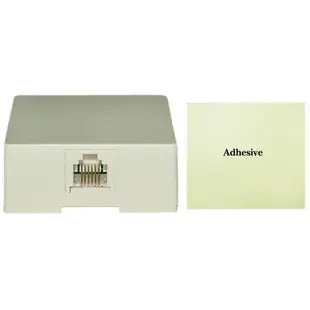
Phone Surface Mount Jack, Ivory, RJ11 / RJ12, Data / Voice, 6P6C (6 Pin 6 Conductor)
300-66FF
- Connector references
- RJ11 · RJ12
- Configuration
- 6 Pin · 6 Conductor
- Mounting
- Surface Mount
Surface mount box, single gang, white, includes mounting screws and double sided adhesive pad
300-626WH
- Configuration
- single gang
- Mounting
- Surface mount · single gang
Cat5e Duplex Surface Mount Box, Unshielded
300-313DE
- Configuration
- Duplex
- Ethernet category
- Cat5e
- Mounting
- Surface Mount


