
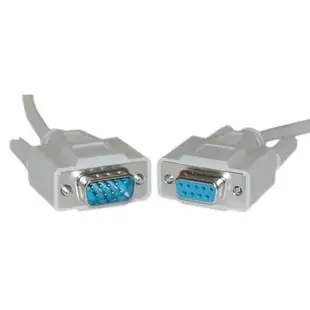
Which DB9 serial cable does your equipment need?
A nine-pin D-sub connector appears on everything from desktop COM ports to point-of-sale peripherals. Count the pins, check the gender on each side and look up the equipment’s communication interface. Even two devices labeled serial can require different wiring between them.
Extend or replace the existing connection
For a working assembly that falls short, a matching straight-through extension can maintain the current wiring arrangement. If you are starting from two bare ports, check the manual for straight-through versus null modem wiring and the required handshake signals. Then select the correct length within the matching family.
Troubleshoot one variable at a time
Keep the port parameters used by the device and test a known working lead before introducing an adapter or extension. If you are replacing a USB serial adapter too, confirm the COM port assigned to the new adapter in the operating system.
Replacing a cable at a point-of-sale counter
A receipt printer, customer display and scanner can each appear on the same counter with their own connection requirements. Follow the lead from the affected device all the way back to the terminal before disconnecting it. Record whether it goes directly to a serial port or through another adapter, and check the device manual for any special wiring or power arrangement. A serial connector on retail equipment can have manufacturer-specific requirements. If a known working spare belongs to a different model, verify compatibility before using it as a test cable. Label the confirmed replacement with the actual peripheral model.
A Y adapter is not a second independent serial port
The 30D1-27308 is an eight-inch DB9 female to dual DB9 male serial Y adapter. Determine what the host and peripherals expect before adding it to a working connection. Splitting physical wiring alone does not give software two independently addressable COM ports, and two devices transmitting onto the same line can conflict. If the aim is simply to move a serial peripheral across a desk, a straight extension such as 10D1-03215 is a different choice. Describe the desired behavior first, then identify the wiring and number of host ports that behavior requires.
When one workstation needs two independent serial connections
A workshop might add a second device to a computer that already has one occupied serial port. Determine whether the application needs simultaneous separate communication with both devices or simply needs to connect to one of them at a time. For independent sessions, check what additional supported interface the computer and software can use and how the application assigns each port. A new DB9 cable solves the connection from a suitable port to its peripheral. It cannot create an extra independently addressable port by itself. Make the host-interface decision before measuring both final cable runs, since the physical location of the second interface may change those measurements.
Compare parts for your setup
Serial Extension Cable, DB9 Male to DB9 Female, RS-232, 9 Conductor, 1:1, 100 foot
10D1-032HD
- Connector references
- DB9 Male · DB9 Female
- Configuration
- 9 Conductor
- Length
- 100 ft
Compare straight-through and crossover requirements in the device manuals before choosing the same-looking plug. Measure the installed route against this 100 ft length.
DB9 Serial Y adapter, DB9 Male to Dual DB9 Female, 8 inch
30D1-27208
- Connector references
- DB9 · DB9 Male · DB9 Female
- Dimensions in listing
- 8 inch
Serial Cable, DB9 Male, UL rated, 9 Conductor, 1:1, 25 foot
10D1-03125
- Connector references
- DB9 Male
- Configuration
- 9 Conductor
- Length
- 25 ft
Compare straight-through and crossover requirements in the device manuals before choosing the same-looking plug. Measure the installed route against this 25 ft length.


