
Choose a serial cable for a modem, plotter or older PC
The replacement DB9 lead fits both ends, the screws tighten, and the terminal window stays blank. With serial equipment, fit answers only the first question. The second is how the pins at one end connect to the other. Before searching by length, find the port label and model at both ends, the pinout or cable reference in the equipment manual, and the software settings from a working station if one exists.
Do I need straight-through or null-modem wiring?
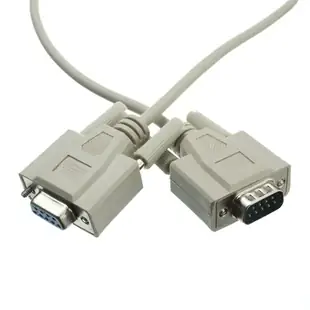
A straight-through cable preserves the corresponding pin connections specified for that assembly. A null-modem cable crosses selected signals so compatible serial endpoints can communicate. Equipment documentation should tell you which arrangement it expects. Atlas lists 10D1-20206 as an eight-conductor DB9 male-to-female null-modem cable. A DB9 male-to-female extension with straight-through wiring can look nearly identical in a product photo. Check the transmit and receive connections and any handshake lines your equipment requires. Some devices use a minimal set of lines. Others wait for control signals and may appear silent even when the data pins are connected.
Is DB9-to-DB25 enough information to order?
Record the function and gender of each port and identify the device at each end. An older modem link and a plotter connection can both use a nine-contact shell at one end and a 25-contact shell at the other. Part 10D1-13306 is explicitly listed for an HP plotter with a DB9 female end, a DB25 male end and eight conductors. Compare the exact plotter model's required cable against that assembly. If a connector sits behind a bracket or beside a bulky power lead, also measure the shell clearance and make sure the screws will be accessible.
Can I connect a modular console port or a USB laptop?
A modular adapter may end in a connector that resembles a telephone or network jack. Follow the equipment maker's console pinout and identify the mating cable. For example, 31D1-16410 combines a DB9 female side with an RJ12 jack. The adapter listing alone cannot establish the wiring required by your device. A computer with USB also needs an appropriate USB-to-serial interface and compatible driver. Check the electrical interface named in the manual before shopping for an RS-232 adapter. Record the assigned serial port in the application after connecting it.
How do I separate a cable problem from a settings problem?
Write down the expected baud rate, data bits, parity, stop bits and flow-control setting. Match those values at both ends and use a known working short setup before adding an extension. If a status display works but file transfer fails, check whether the transfer uses control lines the status message never exercises. When ordering, give the exact part number if known, both endpoint models, both connector genders, the wiring requirement and the measured length. That description makes it possible to distinguish two leads that look interchangeable in a drawer.
Compare parts for your setup
Null Modem Cable, DB9 Male to DB9 Female, 8 Conductor, 6 foot
10D1-20206
- Connector references
- DB9 Male · DB9 Female
- Configuration
- 8 Conductor
- Length
- 6 ft
Connect serial endpoints that specifically call for a crossover connection with these connector genders.
A straight-through DB9 extension can look the same. Compare the full wiring diagram and required handshake lines in the device manual.
Hex Nut, # 4 - 40, 100 Pieces, 5.0mm
30D1-02440
- Dimensions in listing
- 5.0mm
- Package quantity
- 100 Pieces
Choose a housing, contacts or modular adapter for the wiring diagram of a legacy peripheral. The pack contains 100 pieces; count the parts required per installation.


