
Repair the connector, hood or hardware on a serial lead
A cable that works until someone nudges the bench deserves a close look at its physical support. Inspect the disconnected assembly for a damaged hood, missing fastening hardware or a cable pulling away at the entry. Note which component actually needs replacement.
Match more than the shell size
Some hoods fit the physical shell used by both DB9 and high-density HD15 connectors. The insert, contact count and wiring will still differ. Check the shell size, cable diameter, strain relief and mounting hardware against the existing assembly before ordering several kits.
Give a custom assembly a useful label
For a site-specific serial cable, keep the end-to-end pinout and equipment names with the finished part. A bag of replacement backshells or nuts addresses the mechanical repair. It provides no information about whether the original wiring was straight-through, a crossover or a custom control lead.
When the jack screw comes out with the cable
If a D-sub fastener stays attached to the cable when you unplug it, look at the equipment panel before ordering another hood. A removable jack screw or stand-off may have backed out of the panel. Compare the thread, body length and way it mounts with the equipment drawing or an intact matching fastener. Check whether the work order calls for a screw, nut, stand-off or complete mounting kit. Keep the loose part in a labeled bag until you can compare it. A correct-looking shell will do little to restore strain relief if the mating hardware is still missing.
Replacing one damaged connector on a documented harness
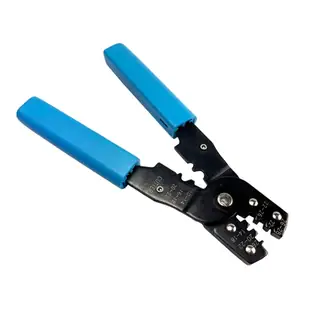
Before writing a parts order, separate the connector housing, contacts, cable clamp and cover on the assembly drawing. The 3309-025M is a DB25 male crimp housing. The 91D5-50030 is a D-sub installation tool. Confirm the tool and contacts suit the actual housing and wire size, since a similar-looking contact may not lock into the shell. For a documented harness, preserve the numbered connections from both ends and have the finished assembly checked against its drawing before returning it to service. A face photograph can appear mirrored when viewed from the wire side.
Choosing between a repair and a ready-made assembly
If only one lead needs service, compare the time and tooling needed to recreate it with the cost of a documented finished assembly. Ask whether the original connector can be opened without damaging a molded termination, and whether a reliable drawing exists for the complete pinout. A replaceable hood and intact wiring make one kind of repair possible. A sealed end, missing diagram or specialized strain relief may make a verified finished assembly more attractive. If you need several identical custom leads, prepare one working example and retain its drawings and component list before ordering a batch of loose parts.


