
Find the right VGA extension for a desk or lectern
The cable left on a lectern may already run all the way to the projector or may end at a wall socket underneath it. Trace that first segment before deciding between a complete male-to-male HD15 cable and a male-to-female VGA extension. The mounting screws help secure the connection.
Compare the run with the image you expect
For an analog connection, clear text at the projector’s intended resolution is a useful test. When possible try a shorter known-good cable, then add the planned extension and compare the same small lettering. Slim cables, ferrite-equipped leads and heavier shielded cables have different construction; check the actual model for the distance and equipment involved.
What if my new computer only has USB-C?
A USB-C-to-VGA adapter listed here can bridge compatible video-capable USB-C outputs to VGA. Check the port specification on the computer and whether you need a female VGA end to meet the existing room cable. Keep any presentation audio connection separate.
Can a VGA extension restore audio to the screen?
VGA carries analog video. A monitor with speakers usually needs another audio input when connected this way. Check which speakers the computer has selected and follow the audio cable separately. This avoids replacing the video extension when the desktop picture is already sharp and stable.
Replace the cable that moves with a pull-out lectern drawer
A retractable drawer may pull on a VGA connector only when the presenter opens it completely. Route a string along the moving section, measure at full travel and leave enough room to operate the thumbscrews. A 10H1-11110 is a ten-foot slim male-ended VGA lead for suitable sockets. A 10H1-20215 is a fifteen-foot male-to-female VGA extension for an existing compatible lead. Select the arrangement that allows the smallest number of joints in the moving area. Project text at the intended display mode and inspect small lettering at the edge of the image. Recheck as the drawer opens and closes to reveal intermittent faults. Label the fixed and moving sections separately if you keep an extension.
How do I compare image quality across two VGA runs?
Use a screen with small dark text on a light background, fine lines and a few areas of solid color. A slide made only of a company logo can hide the ghosting or softness that the next person's spreadsheet will reveal. Compare the short known-working cable with the longer intended run using the same computer, display and supported resolution. If the monitor offers analog auto adjustment, follow its manual and compare again. A faint repeated outline on text is a different symptom from an entire missing color or an input the projector cannot recognize. Record the symptom before deciding what part of the path to replace. Save the test pattern with the equipment notes so later comparisons use the same image.
Compare parts for your setup
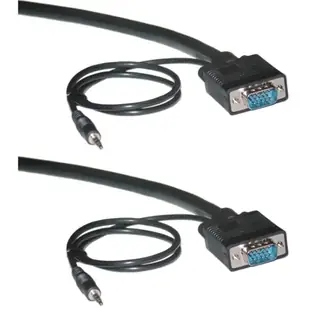
Shielded SVGA Cable with 3.5mm Audio, Black, HD15 Male, Coaxial Construction, Double Shielded, 6 foot
10H1-29106
- Connector references
- HD15 Male
- Dimensions in listing
- 3.5mm
- Length
- 6 ft
Identify whether the source produces VGA or requires conversion, then check connector gender and supported resolution. Measure the installed route against this 6 ft length.
VGA Y Cable, Low Resolution, HD15 Male to 2 x HD15 Female, 8 inch
10H1-27708
- Connector references
- VGA · HD15 Male · HD15 Female
- Length
- 8 in
Identify whether the source produces VGA or requires conversion, then check connector gender and supported resolution. Measure the installed route against this 8 in length.
Slim SVGA Cable with Ferrites, Black, HD15 Male, Coaxial Construction, 32 AWG, 10 foot
10H1-11110
- Connector references
- HD15 Male
- Wire gauge
- 32 AWG
- Length
- 10 ft
Identify whether the source produces VGA or requires conversion, then check connector gender and supported resolution. Measure the installed route against this 10 ft length.


