
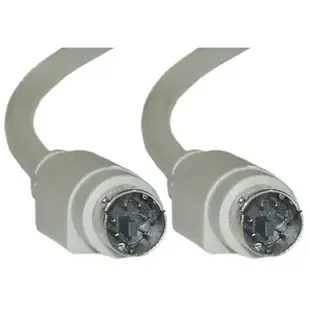
Replace a round keyboard or mouse cable without guessing at the plug
An older keyboard can be the easiest way to operate a machine that still does its job perfectly. The hard part is describing the lead when the keyboard is at one end of a workbench and the computer is inside a cabinet. Start by answering one question. Does the keyboard already have a permanently attached cord, or do both devices have empty sockets? That changes the cable you need even when every connection is called PS/2.
Do I need a replacement lead, an extension or a coupler?
A cable between two sockets generally needs a plug at both ends. The straight-through PS/2 assembly 10M2-01106 has two six-pin male Mini-DIN ends for equipment that calls for that arrangement. A keyboard with a captive cable already supplies one plug. To move it farther from the computer, look for an extension with a female end to accept the keyboard plug and a male end for the computer. Part 10M2-01206 is that six-foot extension. A PS/2 female-to-female coupler such as 30I2-06700 can join two suitable male-ended leads. Consider whether the extra junction would sit where feet or a drawer can pull it apart.
How can I tell an AT keyboard connector from PS/2?
Compare the keyed face of the plug and count its pins. The full-size five-pin DIN keyboard connector is associated with AT systems. The smaller six-pin Mini-DIN connector is used for PS/2 keyboards and mice. Photograph the pin pattern head-on in good light. Other equipment uses round connectors too, including audio equipment and older computers with different interfaces. Read the socket's printed label before treating the pin count as a compatibility match. If a computer has separate keyboard and mouse sockets, record which one the original device used.
Which way should an AT-to-PS/2 adapter face?
Describe the two pieces you are trying to join in a sentence. “I have a five-pin male keyboard plug and a six-pin keyboard socket on the computer” identifies the job more precisely than “I need an old keyboard adapter.” For compatible equipment in that example, 10I5-013HF gives the keyboard a five-pin female receptacle and presents a six-pin male plug to the computer. The similar 10I5-012HF has the opposite connector arrangement. If either machine requires USB, check for a converter designed to support the keyboard and host combination. A short DIN adapter alone does not add USB communication.
How much extra reach should I order?
Measure from the cabinet's keyboard socket around the actual cable clips and out to the farthest point the keyboard tray travels. Leave enough slack to use the tray without loading the small pins. Follow the equipment maker's instructions for disconnecting the keyboard and any maximum supported cable length. Once the connector arrangement is right, use the length choices on the product card. The part number adjusts with the selected length, which helps when ordering a matching spare for a second station.
Compare parts for your setup
PS/2 Cable, Keyboard / Mouse, PS/2(MiniDin6) Male, 6 Conductor, Straight, 3 foot
10M2-01103
- Connector references
- MiniDin6
- Configuration
- 6 Conductor
- Length
- 3 ft
Compare both ends and check whether the computer’s socket accepts a keyboard, a mouse or either device. Measure the installed route against this 3 ft length.
PS/2 Coupler / Gender Changer, MiniDin6 Female to MiniDin6 Female
30I2-06700
- Connector references
- MiniDin6 Female
PS/2 to AT Keyboard Adapter, MiniDin6 (PS/2) Female to Din5 (AT) Male, 6 inch
10I5-012HF
- Connector references
- MiniDin6
- Dimensions in listing
- 6 inch


