
What cable or adapter do I need for my iPhone or iPad?
Someone asks for an iPhone charger, and three people pull out three different cords. One fits the phone but won't plug into the wall adapter. Another reaches the car's USB port but never brings the phone up on the dashboard. Before replacing anything, identify the socket on the phone or tablet, the socket on the charger or car, and whether you need power, data, sound or video. Those details make a short shopping list out of a drawer full of near misses.
Does this device need Lightning or USB-C?
Apple identifies iPhone 15 and later as using USB-C. For an iPad, use its model name and Apple's list of devices with USB-C. A family can easily have two iPads that need different charging leads. For a Lightning device and a USB-C wall adapter, 10U2-25106 is a six-foot USB-C to Lightning charge-and-sync cable. If an older wall adapter has a rectangular USB-A socket, look at the Lightning to USB-A options instead. For a USB-C iPhone paired with a USB-C charger, look for a cable with a USB-C plug on each end.
Why does my phone charge but never appear on my computer?
Start with a lead explicitly rated for data. Phone charging shows that power is reaching the device, while copying photos requires a working data connection too. Unlock the phone and check its screen when you connect it to your own computer. If the computer asks permission to access the device, follow the prompts for that trusted computer. Test with a single direct connection before adding a hub. When you need to move a large video project, check the data speeds of the specific iPhone or iPad, the cable and the host port.
Can I connect an iPad to an HDMI monitor or classroom projector?
For an iPad with USB-C, a USB-C to HDMI adapter for the monitor is one option when the tablet model and adapter support the output you need. Check the destination while you are in the room. An HDMI cable fixed to the lectern needs an adapter with an HDMI socket. A screen with an empty HDMI input can take a suitable complete cable. Apple's iPad guide explains which connections each model supports. Also check whether the app mirrors the tablet or presents different material on the external display, and rehearse with the app you will actually show.
Can I keep using my wired headphones?
For a phone or tablet with USB-C, the catalog includes a short USB-C to 3.5 mm headset adapter, 30U2-35000. Check the exact device and whether you need a microphone or inline controls. A Lightning device needs a compatible Lightning audio accessory. If you intend to listen and charge at the same time, count the available ports and look for an accessory explicitly supporting simultaneous use.
Which length should I get for the car or bedside?
Measure from the charger socket to the phone's resting place. Include the distance around a console or nightstand and enough slack to pick up the phone without tugging on the port. A short lead can leave a car console tidy, while six feet may reach a bedside table more comfortably. If the job involves wired CarPlay, check which vehicle port handles CarPlay and choose a direct data-capable cable that fits both ends. Some vehicles also have separate charging-only ports.
Compare parts for your setup
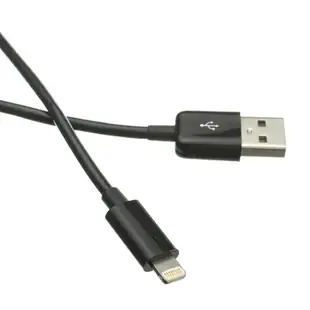
Apple Lightning Authorized Black iPhone, iPad, iPod USB Charge and Sync Cable, 3 foot
10U2-05103BK
- Length
- 3 ft
Check connector type, data support and charging rating separately for the exact item. Measure the installed route against this 3 ft length.
32-Piece Mobile Device Repair Kit
9005-10140
- Package quantity
- 32-Piece
Choose a fitted screen protector for a specific handset or a mount for hands-free viewing at a desk. The pack contains 32 pieces; count the parts required per installation.
2 Port USB Wall Travel Charger, 2 USB A Charging Ports, 3.1 Amps total, White
90W1-30320WH
- Connector references
- USB A
- Current rating
- 3.1 Amps
- Port count
- 2 Port


