
Choose a USB cable, hub or FireWire lead by the job at each end
A drawer full of USB cords may contain one that fits a printer, one that charges a laptop and one that moves a large video file at a useful speed. The modern oval USB-C tip can appear on cables with quite different capabilities. FireWire adds another family of plugs that may be familiar from a camcorder or an old external drive. Write down three things before opening a product card. Identify the port on the computer, the port on the accessory and what you want the connection to carry.
Which USB-C cable should I use for a drive or a charger?
Read the data rate and power rating separately. Part 10U2-32101 has USB-A at the computer end and USB-C at the other, with a listed 480 Mbps data rate and 15-watt rating. Part 10U3-31102 is a two-meter USB-C cable listed for 10 Gbps and 100 watts. The second cable needs compatible ports at both ends to use its higher capabilities. If you are replacing a dock cable, also check the dock's requirements for video, data and power delivery. Record any markings on the cable supplied with it and check the model's manual before assuming another USB-C cable can do every job.
When will a powered USB hub help?
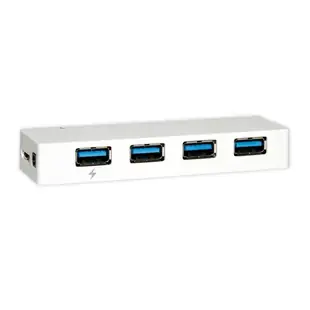
A hub can bring accessible ports to the desktop or provide connections for several devices through one upstream port. Look at the connectors on each side, the hub's data rate and the needs of the attached devices. Atlas lists 41U3-32004 as a self-powered, four-port, 5 Gbps hub. The devices share the upstream connection. For an external drive that disconnects intermittently, test it directly with its own known working cable, then reconnect it through the hub and test again. This helps separate a hub or power issue from a problem with the drive cable itself.
Is an extension the right way to cross the room?
Measure the complete route, including any existing peripheral lead. A simple USB extension adds cable. An active extension includes electronics and its advertised USB generation and power requirements matter. For example, 11U2-51025 is a 25-foot active USB 2.0 extension with a plenum jacket. The jacket marking describes an installation property. It does not upgrade the data rate to USB 3. For a camera or audio interface, confirm the device maker supports the proposed length and extension method, then test the actual recording mode before installing the run.
What if the box says FireWire, i.LINK or IEEE 1394?
Identify the computer and peripheral models, the exact ports and how the device receives power. A FireWire 400 cable such as 10E3-01106 has six-pin ends. Other FireWire equipment uses four or nine contacts. A device with USB-C at the computer end needs a documented compatible interface path and operating-system support for the peripheral. If there is a working older computer with native FireWire, check what it can read before designing a chain of adapters. A photograph of both ports and the original cable markings makes it much easier to identify the missing link.
Compare parts for your setup
USB 3.2 Gen 1x1 Super Speed 4 Port Hub, 5 Gbps, White, Self Powered
41U3-32004
- Data rate
- 5 Gbps
- Port count
- 4 Port
Firewire 800 9 Pin cable, Black, IEEE-1394b, 3 foot
10E3-99003BK
- Configuration
- 9 Pin
- Length
- 3 ft
Compare the 4-, 6- or 9-pin port at each end and verify that the computer supports FireWire capture. Measure the installed route against this 3 ft length.
Comzon 40Gbps 100 watt USB4 Cable, 8K/4K 1080p, ThunderBolt 3 & 4 Compatible, Fast Charging, USB Type C Male, Braided Jacket, 3 foot
C2034
- Connector references
- USB Type C Male
- Data rate
- 40Gbps
- Video format
- 8K · 4K · 1080p
- Power rating
- 100 watt
Consult both the host and accessory specifications for video output, charging direction and data rate. Measure the installed route against this 3 ft length.


